Truth boundary
This is a buyer-education and tool-fit readiness checklist, not a vendor ranking, not a real retailer case study, not store data, not customer data, not POS data, not ERP data, not a testimonial, not a benchmark, not accounting advice and not evidence of stock accuracy, stockout reduction, sales, margin, savings, revenue, ROI, ranking, demand, leads or customers. No outreach was sent.
When the checklist is useful
Before buying software
Use it when owners are comparing POS add-ons, ERP modules, standalone inventory apps, spreadsheet fixes or BI dashboards but still cannot see who owns stock exceptions.
Before automating work
Use it when reminders, supplier follow-up, purchase-order approvals and reorder queues may be automatable but finance, supplier or store-manager decisions still need human review.
Before AI claims
Use it when a team is considering AI agents for retail operations and needs proof-before-platform boundaries before raw sales data, customer data or credentials are shared.
Tool-fit comparison checklist
| Option under consideration | Likely useful when | Check before buying | AICS evidence question |
|---|---|---|---|
| POS add-on | Store sales and item master data are mostly clean, but staff need faster reorder and stock-count prompts. | Does it expose exception queues, stale owner rows and supplier follow-up status without spreadsheet rework? | Which stock count owner queue or reorder trigger ownership field proves the add-on will be used? |
| ERP module | Finance, procurement, warehouse and multi-store controls need one governed workflow. | Are purchase order follow up, approval authority, receiving exceptions and dead-stock decisions already mapped? | Which ERP handoff breaks today: source data, owner, approval, supplier response or closure evidence? |
| Inventory app | The team needs lightweight cycle counts, barcode flows, min/max reorder points or store-level task visibility. | Will it solve supplier WhatsApp chasing and manager accountability, or only create another stock list? | Which rows need owner handoff before an app can safely automate reminders? |
| Spreadsheet/BI dashboard | Leadership needs visibility but operating owners still work in Excel, WhatsApp and manual purchase notes. | Does the dashboard drive action, or only report old POS ERP spreadsheet inventory gaps? | What is the stale-item ageing rule and who closes the row? |
| Process automation or AI agent | Routine nudges are repetitive and evidence fields are stable enough for controlled automation. | Which rows must stay human-reviewed because they involve finance approval, supplier negotiation, customer impact, pricing, returns, shrinkage or accounting treatment? | What claim boundary prevents unsupported savings, stockout reduction, margin or ROI language? |
What to collect without credentials first
Use this as a no credentials first intake boundary before any tool-fit review.
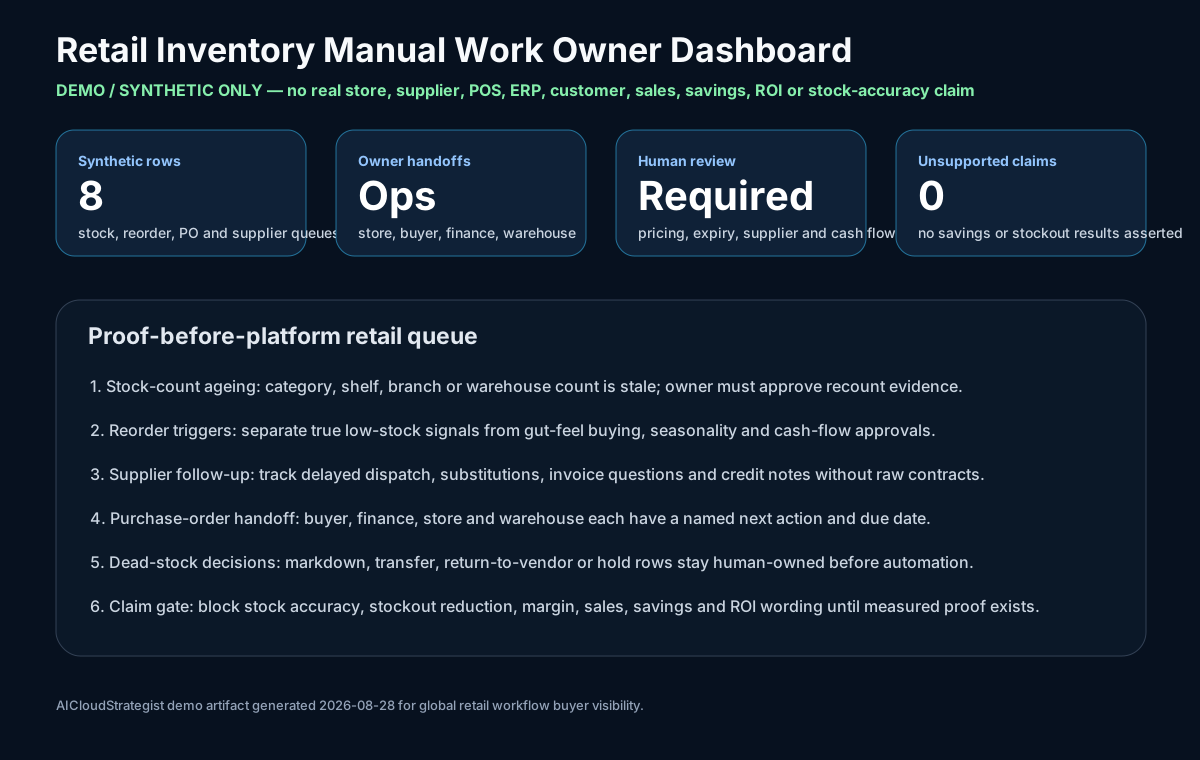
- Redacted screenshots of inventory queues, purchase-order status fields and supplier follow-up notes.
- Blank or anonymized stock-count, reorder, dead-stock and receiving-exception templates.
- Owner names as roles only: store manager, inventory lead, finance approver, supplier contact, ops owner.
- Known decision rules: reorder threshold, stale-item age, approval gate and human-review exceptions.
- Unsupported claims to avoid until measured: stock accuracy, stockout reduction, savings, revenue, margin and ROI.
Need a tool-fit map before another inventory purchase?
AICS can turn redacted retail inventory evidence into owner queues, tool-fit gaps, automation boundaries and a 30-day decision packet before a buyer commits to POS, ERP, inventory app, dashboard or AI work.
FAQ
Is this a recommendation to replace POS or ERP?
No. It helps the retailer decide whether the bottleneck is software fit, owner accountability, supplier follow-up, finance approval, data quality or automation readiness.
Can the first review avoid sensitive data?
Yes. Use redacted screenshots, blank templates, field names and owner interviews. Do not send passwords, tokens, payment data, raw sales exports or customer data for initial scope.
What should be reviewed next?
Use the diagnostic package, owner evidence checklist, demo owner dashboard and fixed-scope diagnostics.